Paying with Crypto Through Escrow: A Buyer’s Walkthrough
How money moves here: when you check out on GLP1 Forum Escrow, your crypto goes into escrow rather than to the brand. You can pay the order directly at checkout or draw on a balance you have already loaded into your Escrow Wallet. The brand receives nothing until the parcel has arrived and delivery is confirmed. The steps below show how to get stablecoins into a wallet and pay that checkout safely.
Two families of crypto you will run into
Price-tracking coins and dollar-pegged coins behave very differently:
| Bitcoin (BTC), Solana (SOL), etc. | Stablecoins (USDT, USDC, PYUSD, etc.) | |
|---|---|---|
| Price behavior | Volatile asset – price fluctuates rapidly | Tied to USD – 1 coin ≈ $1 USD |
| Built for | Designed for long-term holding (“digital gold”) | Meant for payments and transfers |
| Fit for a purchase | Widely accepted, but not ideal for stable-value purchases | Preferred for predictable value |
A stablecoin is the sensible tool for paying an order. Its value barely moves between the moment you buy it and the moment the escrow checkout receives it, and transfers settle fast.
Coin and network are two separate choices
USDT (Tether) and USDC (USD Coin) are tokens, not blockchains.
Each one is issued on several different chains, and a wallet address only works for the chain it belongs to.
USDT, for instance, circulates on:
- Solana, labeled
USDT/SOL - Ethereum, labeled
USDT/ETHorUSDT/ERC20 - Tron, labeled
USDT/TRXorUSDT/TRC20 - plus a number of other chains
USDC is likewise found on:
- Solana, labeled
USDC/SOL - Ethereum, labeled
USDC/ETHorUSDC/ERC20 - and further chains beyond these
A transfer sent over a chain the receiving address does not live on is, in almost every case, gone for good. Two common ways this happens:
- Pushing USDT/TRC20 (Tron) at a Solana address: unrecoverable.
- Pushing USDT/SPL (Solana) at an Ethereum address: equally unrecoverable.
Three things to match against the checkout screen
Your order’s escrow checkout states what it expects. Match your wallet to it on all three points:
- Token: which coin the order is priced in (for example USDT, USDC, SOL or PYUSD).
- Chain: the network that token must travel on. “USDT on Tron” means TRC20/TRX, which is not the same as Solana/SOL/SPL or Ethereum/ETH.
- Address: the deposit address the checkout generates for that particular chain.
It is also worth confirming in your own wallet that it can hold and send that token on that chain. Wallet apps differ in which token-and-chain pairings they handle, so check yours rather than assuming.
Groundwork to do first
- Choose a wallet. The steps here use Trust Wallet, which runs on phones and desktops (trustwallet.com). Being self-custodial, it cannot be frozen or closed the way a Coinbase account can.
- Know which coins are on offer. Across this market, the usual options are USDT or USDC on Sol, Tron or Ethereum, PYUSD on Sol, and plain SOL. Check which ones your checkout accepts before buying.
- Plan for network fees. Trust Wallet offers what it calls “gasless” sends and swaps for USDT, USDC and PYUSD on SOL and ETH, so the fee comes out of the token itself with no separate SOL or ETH needed. Tron works differently: expect to hold roughly $10 in extra Tron to cover the transaction fee, often called gas.
- Give yourself lead time. A first-ever crypto purchase can be held for security review. Starting a week or more ahead of when you want to order avoids a rushed checkout.
- Load in modest amounts. Some buyers report that larger transfers get flagged, so topping up in $100–200 increments tends to go more smoothly.
- Accept that sends are final. Crypto cannot be reversed or refunded once it leaves your wallet for the wrong address or chain, so the matching step above is not optional.
Walkthrough: from an empty wallet to a funded escrow order
1. Install the app and lock it down
- Get Trust Wallet from your phone’s app store or from trustwallet.com.
- Create a new wallet, set a numeric passcode and enable biometrics.
- Open Settings from the home screen, pick your wallet, tap the three-dot menu and select Manual Backup.
- Copy the 12-word recovery phrase onto paper and keep it somewhere offline and private.
2. Buy SOL inside the app
- Tap Fund on the main screen.
- Open All Payment Methods. Depending on your region you will see Apple Pay, debit card, PayPal, Venmo or Revolut Pay. If you already run a funded Coinbase or Binance account that has cleared its security holds, the Exchange option lets you move funds in from there instead.
- The purchase itself is handled by a third-party on-ramp such as MoonPay. Expect to open an account with that provider and submit government ID details.
- Select SOL and enter an amount. Buying slightly more than your order total leaves room for fees and small price moves.
- Finish the provider’s checkout, which includes identity verification and your chosen card or wallet payment.
- Within a few minutes the SOL should appear in your Trust Wallet balance.
3. Convert the SOL into a stablecoin
SOL can drift in price mid-order, so converting to a dollar-pegged token first is the safer habit.
- Tap Swap on the main screen.
- Filter by the SOL chain by tapping its icon (a green-and-purple stylized S) so only Solana-based tokens are listed. Then set:
- From: SOL
- To: USDT or USDC
- Tip: pick the exact token and chain your checkout asks for, so you are not forced into a second conversion later.
- Type the amount and check both the token (for example USDT) and the chain (for example Solana/SOL or Ethereum/ETH) on the preview.
- Tap or slide to execute. Confirmation is normally close to immediate.
4. Pay the escrow checkout
Here you pay the marketplace’s escrow, not a seller, using the details the checkout gives for this order (or you top up your Escrow Wallet and pay from that balance).
- Open the token you intend to spend (USDT/SOL, USDC/SOL, USDC/ETH, and so on).
- Tap Send.
- Paste the deposit address shown on the escrow checkout. Copy it from the checkout page itself, never from a message, email or chat.
- Confirm the chain on the send screen matches the one the checkout names; Solana and Tron are not interchangeable.
- Enter the precise amount, in the precise token, that the checkout displays.
- Watch the units: 300 SOL is a very different sum from $300 USD.
- Tap Next to reach the review screen.
Last look before you confirm
A blockchain transfer has no undo button. On the review screen, go through each line:
- The address is the one from your escrow checkout, character for character (addresses are tied to a single chain).
- The chain is correct (SOL, TRX or ETH).
- The token is correct (USDT, USDC, PYUSD, SOL or ETH).
- The network fee is displayed. If everything agrees, tap Confirm and enter your passcode.
5. What happens once escrow has your payment
- Your order records the payment once the transfer is confirmed on-chain. Save the transaction ID or explorer link in case support needs to trace it.
- The brand is notified that the order is funded and ships it. Your money stays in escrow during transit.
- When the parcel arrives, you confirm delivery and the brand is paid. If something is wrong with the delivery, raise it with support before confirming. The how escrow works page explains the full sequence.
Habits that keep your funds where they belong
- Keep learning beyond this page; our support team can answer questions along the way.
- Keep a screenshot of each transfer and the block explorer link, so there is a clear record if a payment ever needs to be traced.
- Pay only through the marketplace checkout. Anyone who contacts you by DM with an unverified address or an “off-platform discount” is asking you to give up escrow protection.
- Guard your recovery phrase the way you would guard online banking credentials. Whoever holds it controls the wallet, and losing it means losing the balance.
Questions, corrections or feedback about this guide or the sources it cites are welcome; reach out to our support team.
Your Cart
 Arctic Labs3 products · 3 lab-testedVisit store →
 AUverifiedPeptides9 products · 9 lab-testedVisit store →
 Azentra Laboratories1 product · 1 lab-testedVisit store →
 Biohack Peptides4 products · 4 lab-testedVisit store →
 BioPepta22 products · 20 lab-testedVisit store →
 Core Peptides10 productsVisit store →
 Cyprus Peptides93 productsVisit store →
 European Peptide Sciences34 productsVisit store →
 EuropePeptide13 productsVisit store →
 HK Peptide111 products · 53 lab-testedVisit store →
 HKTide Biotech1 productVisit store →
 HPEBIO20 products · 19 lab-testedVisit store →
 Imperial Peptides20 products · 15 lab-testedVisit store →
 InnoPeptide2 products · 2 lab-testedVisit store →
 Jinlu Peptides50 productsVisit store →
 JP8 products · 8 lab-testedVisit store →
 Kensington Biosciences26 productsVisit store →
 Lab77 Peptides33 products · 18 lab-testedVisit store →
 Lianhua Peptide Co.37 productsVisit store →
 Lilipeptide49 productsVisit store →
 Limitless BioChem2 products · 2 lab-testedVisit store →
 Maxed Out Compounds11 products · 9 lab-testedVisit store →
 MEI-PEPTIDE5 products · 5 lab-testedVisit store →
 MJT Peptides1 product · 1 lab-testedVisit store →
 Nouveaux2 products · 1 lab-testedVisit store →
 Peptide Express21 productsVisit store →
 Purus Peptides8 products · 8 lab-testedVisit store →
 SSRBIO69 productsVisit store →
 Sulan Bio46 products · 12 lab-testedVisit store →
 SynTide Research12 productsVisit store →
 TFC Peptides192 productsVisit store →
 TOP Peptide2 products · 2 lab-testedVisit store →
 Uther Peptide105 products · 87 lab-testedVisit store →
 UWA Biotech21 products · 20 lab-testedVisit store →
 Vital Edge Science14 products · 14 lab-testedVisit store →
 Zhejiang Peptide Co.2 productsVisit store →
 Zhuoyan Laboratory Peptide Co.1 product · 1 lab-testedVisit store →
 Zyn Pharma12 productsVisit store →Compare all brands →
All Categories
Search
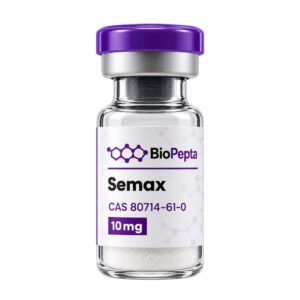
Semax 10mg (10 Vials / Kit)
$51.00 $0.51/mg
Selank 10mg (10 Vials / Kit)
$69.30 $0.69/mg
About an order? Include your order number. We never ask for passwords or seed phrases.
Before you enter
GLP1 Forum Escrow lists research peptides for laboratory and educational use only. Nothing on this site is medical advice or intended for human consumption.
By continuing you confirm that you are 21 or older and agree to our Terms of Service.